The Site Abandonment Flow: Recover Visitors Before They Bounce
Site abandonment emails catch visitors who landed on your store but never viewed a product. Learn the Active on Site trigger, the suppression filters, and the 3-email arc that wins back your lowest-intent traffic.
- Build the trigger, timing, branches, and exits for this flow
- Measure and improve the flow against a stable cohort
What is a site abandonment flow?
A site abandonment flow is an automated email series that reaches visitors who landed on your store but never viewed a product. It fires on the "Active on Site" metric, which is the earliest and lowest-intent signal you can act on. These people showed up, looked around, and left before clicking into a single product page.
Most visitors never make it past a landing page. Site abandonment catches those people while your brand is still fresh, without pretending they were closer to buying than they were.
It is the quietest flow you will run, and that is the point.
Trigger the flow on "Active on Site", then exclude anyone who viewed a product, added to cart, started checkout, or purchased, so it never overlaps your other abandonment flows. Wait about 30 minutes, then send three emails: a soft acknowledgment, a help and social-proof email, and a limited-time incentive that filters out anyone who already used the code. Both of the first two emails carry an A/B test for open rate. This is your lowest-intent flow, so expect lower conversion than browse or cart, and only build it once the higher-intent flows are live.
View full build
Read the text version
Trigger: When someone is Active on Site
Entry filters: Active on Site; No product, cart, checkout, or purchase event in the qualifying window; Can receive email marketing
Exit conditions: Viewed Product, Added to Cart, or Started Checkout after entering; Placed Order since entering
Re-entry: Allow re-entry after 30 days
- delay: Wait 30 minutes
- email: Email 1We noticed you visited, popular items
- delay: Wait 1 day
- email: Email 2Need help deciding? Reviews and social proof
- delay: Wait 2 days
- email: Email 3Limited-time treat, exclude prior code users
How is site abandonment different from browse abandonment?
Site abandonment fires on "Active on Site", meaning the visitor loaded a page but never viewed a product. Browse abandonment fires on "Viewed Product", meaning they clicked into a specific item. That one difference sets the intent. A site abandoner is just looking around. A browse abandoner already has a product in mind.
The abandonment flows form an intent hierarchy. The deeper someone gets, the more you know about what they want, and the harder you can push.
- Fires on "Active on Site"
- Visited, but viewed no product
- Lowest intent, just browsing the brand
- Soft acknowledgment, no assumptions
- Fires on "Viewed Product"
- Viewed a product page, no cart add
- Higher intent, has an item in mind
- Lead with the exact product they viewed
Think of it as a ladder. Site sits at the bottom, then browse, then cart, then checkout.
| Signal | Metric | Intent |
|---|---|---|
| Visited the site | Active on Site | Lowest |
| Viewed a product | Viewed Product | Low |
| Added to cart | Added to Cart | High |
| Started checkout | Checkout Started | Highest |
Because a site abandoner told you the least, your copy assumes the least. You cannot show them a product they viewed, because they did not view one. You show them your best, keep the tone light, and let them find their own way in. Once they click into a product, your browse abandonment flow takes over with a sharper message.
What suppression filters does a site abandonment flow need?
Exclude anyone who did anything higher-intent since starting the flow: viewed a product, added to cart, started checkout, or placed an order. Those four filters keep site abandonment at the very bottom of the ladder, so a visitor who takes a real step immediately drops out and gets picked up by the right flow instead.
Without these filters, one visitor could sit in two or three abandonment flows at once and get hammered with mail. The suppression is what makes site abandonment safe to run.
- Viewed Product zero times since starting this flow. The moment they view a product, browse abandonment owns them.
- Added to Cart zero times since starting this flow. A cart add is a job for the abandoned cart flow.
- Started Checkout zero times since starting this flow. Checkout intent belongs to checkout abandonment.
- Placed Order zero times since starting this flow. Buyers exit entirely.
Set re-entry to allow re-entry after 30 days, so a genuine repeat visitor can flow through again later without getting stuck.
Site abandonment is the broadest trigger you have, so it will pull in the most people. The four exclusions are non-negotiable. Skip one and this flow starts stepping on browse, cart, and checkout, and the whole abandonment system feels like spam.
What should the 3 emails say?
Send three emails on a widening delay. Email one is a soft acknowledgment about 30 minutes later. Email two offers help and social proof after 1 day. Email three brings a limited-time incentive after 2 more days, and it excludes anyone who already used the code. Both of the first two emails carry an A/B test for open rate. The build chart above shows the full sequence.
Unlike the browse and cart flows, this one is email only. The intent is too low to justify a text, so you save SMS for people who showed real buying signals further down the ladder.
The arc moves from friendly to helpful to a nudge. You open by simply saying you saw them, you follow up by making a decision easier, and only at the end do you reach for an incentive.
- Email one, soft acknowledgment. No pressure, no product they never looked at. Just a warm "we noticed you visited us earlier" and a look at what people love. Keep it a light touch, because this is the lowest-intent person on your list.
- Email two, help and social proof. Choosing is hard when you barely started. Point them at a quiz or a sizing guide, drop in a couple of real reviews, and put a customer favorite front and center.
- Email three, limited-time incentive. If your margins allow it, offer a small time-boxed reward. Show the code, explain how to use it, and exclude anyone who already redeemed it so you never discount a buyer twice.
This flow reaches people who showed the least intent, so leading with a coupon trains bargain behavior and burns margin on visitors who may never have bought. Earning the click with help first, then offering the treat only at the end, keeps discounting honest.
Why does site abandonment need onsite tracking?
The "Active on Site" and "Viewed Product" metrics only populate when onsite tracking is running. On Shopify, the store needs Onsite Tracking enabled so Klaviyo can see anonymous and identified browsing behavior. Without it, the trigger never fires and the flow sits empty.
Before you build anything, confirm the tracking is live.
- Enable Onsite Tracking on the Shopify store so both "Active on Site" and "Viewed Product" start recording.
- If it is not installed, connect it manually using Klaviyo's setup guides for the onsite snippet.
- Verify the metrics under Analytics, then Metrics, and check that "Active on Site" and "Viewed Product" are both present and collecting events.
- Remember identification limits. Like all browsing flows, this only reaches visitors Klaviyo can match to a profile, usually because they clicked an email, signed up, or bought before.
Is the site abandonment flow worth building?
Yes, but last. Site abandonment is the lowest-intent and lowest-priority of the abandonment flows, so its conversion runs below browse, cart, and checkout by design. Build it only once those higher-intent flows are live and tuned. It adds incremental recovery on top of a working system, not a foundation.
The order that pays off is simple. Get checkout and cart abandonment earning first, then browse, then add site abandonment to sweep up the visitors none of those flows ever saw. If you install it too early, you spend effort on your weakest signal while stronger ones go uncaptured.
Treat it as the final layer. When your higher-intent flows are humming and you want to squeeze more from raw traffic, site abandonment is the clean way to do it.
Technical Checklist
Triggers:
- Trigger on "Active on Site" with a 30-minute first delay
- Smart Sending off, so the first send always fires
- Confirm "Active on Site" is recording events in Metrics
Filters:
- Viewed Product zero times since starting this flow
- Added to Cart zero times since starting this flow
- Started Checkout zero times since starting this flow
- Placed Order zero times since starting this flow
- Re-entry allowed after 30 days
Tracking:
- Shopify Onsite Tracking enabled
- "Active on Site" and "Viewed Product" both present in Analytics, Metrics
- Email 3 excludes anyone who already used the incentive code
- A/B test on subject line for emails 1 and 2
Get Expert Help
Site abandonment is the last piece of a full abandonment system, and our team builds, tests, and tunes all of it for DTC brands.
We wire up the trigger, the four suppression filters, the onsite tracking, and the copy so the flow adds recovery without ever spamming your list.
More patterns to study
Curated creative references for this lesson. Study the mechanism, then adapt it to your own audience, offer, and evidence.
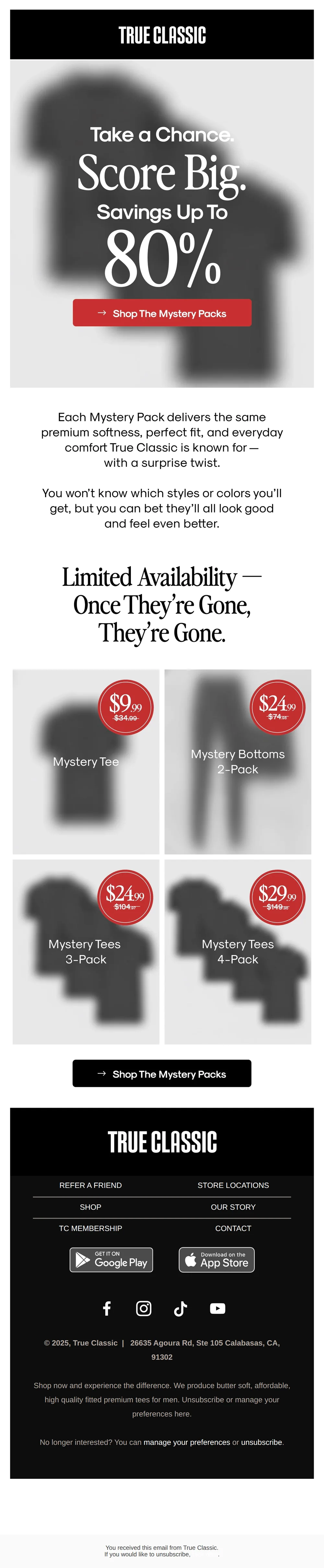
Score Up to 80% Off Mystery Packs
Pattern: Mystery packs with surprise styles up to 80% off.
Use it here: Use a specific value or product decision to bring a visitor back, then send only while the site behavior and consent state support the message.
Open reference in new tab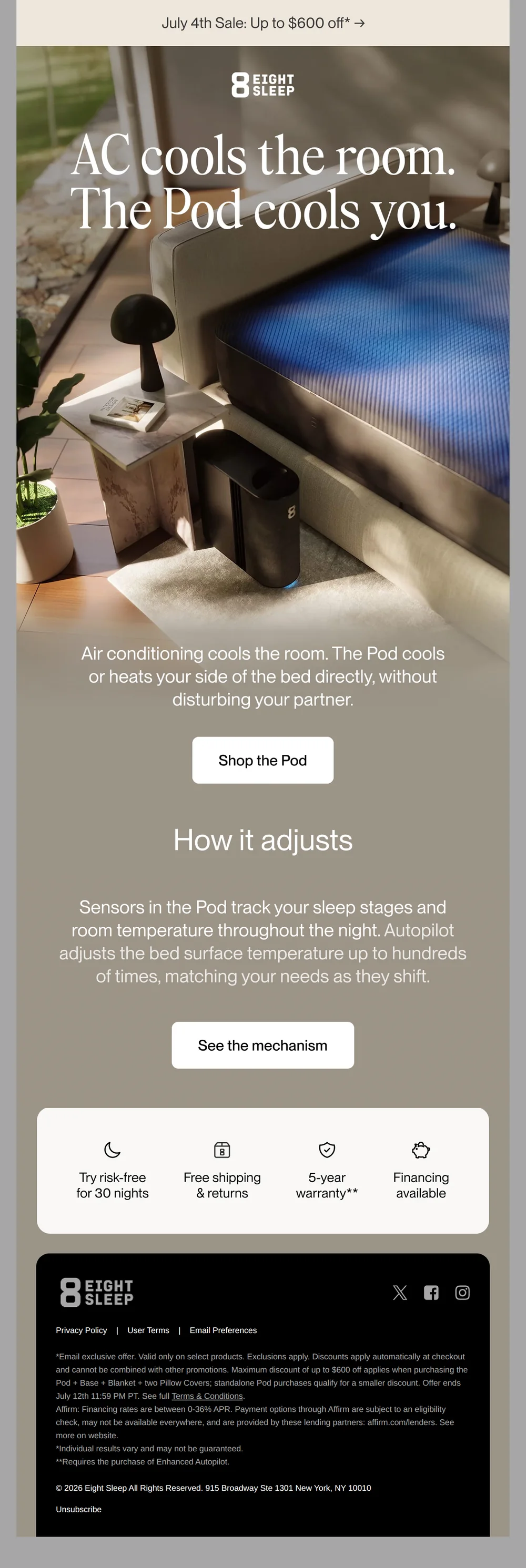
AC cools the room. The Pod cools you*
Pattern: AC cools the room, Pod cools you directly.
Use it here: A benefit-led creative can restart consideration, but it should lead to the viewed product or a relevant category rather than a generic homepage.
Open reference in new tabCreative and design curation only. These are role references, not reported revenue, conversion, or a promise that the exact tactic will transfer unchanged.
Need help implementing this?
We build and manage complete email & SMS programs for DTC brands. Get a custom plan for your brand.
Get Your Free Audit + Gameplan