The Flow Audit: Where Your Automations Leak Revenue
Your flows are live, but are they actually built out? Learn the audit ZHS runs to find the gaps, missing branches, and dead sends quietly costing you revenue.
- Build the trigger, timing, branches, and exits for this flow
- Measure and improve the flow against a stable cohort
Why do email flows leak revenue?
Most flow problems are not one dramatic failure. They are a stack of small logic, consent, timing, content, and QA gaps that compound over time. ZHS uses a 61-point internal audit; the public version below includes the core checks and a downloadable working checklist. Across a built-out program, flows should contribute 30 to 50% of email-attributed revenue, not total store revenue.
The canvas can look complete while customer paths, product logic, consent, reporting, or message pressure still fail. ZHS uses the 61 checks to make those assumptions explicit before a flow is marked approved.
Your flows can be "on" and still leak.
A flow can be live yet still have an unintentional branch, channel role, timing rule, or exit condition.
Treat the 61 points as an operating audit, not a universal promise that every flow needs the same channel or cadence. Fix missing journey coverage and broken customer paths first, then repair links, product logic, consent, branches, timing, and reporting. Re-audit business-critical flows monthly and after a catalog, offer, integration, or consent change.
Here is a sample of what those 61 points check.
- Cart and checkout abandon fire on separate triggers
- Purchase exit filters pull buyers out of abandonment flows
- Browse abandon runs on its own, not merged into cart
- Site-abandon coverage is assessed where the customer behavior and tracking support it
- Customer treatment is intentionally assessed for purchase history or another relevant signal
- Winback re-engages, then sunset suppresses the unengaged
- Welcome has a distinct job per message; message count is cohort-tested, not assumed
- Smart Sending behavior is intentional for the journey and tested with a real profile
- SMS quiet hours and local-time behavior are verified for every eligible recipient
- Time delays between sends, no doubled-up messages
- Discount codes in live HTML text, never trapped in an image
- Auto-apply discount links tested and working
- No out-of-stock products named in copy
- SMS is added only when valid consent, pressure rules, and an incremental channel job support it
- Business-critical flows are re-audited monthly and after material changes
What does a fully built-out flow look like?
A built-out flow is not a preset message count or an automatic SMS track. It is a customer journey with deliberate trigger, eligibility, message job, channel role, exits, pressure settings, and end-to-end QA. "Set up" can mean a trigger fires; "built out" means the intended path has been tested and documented.
Most brands set a flow live and call it done. One welcome email. One cart reminder. A trigger that fires.
That is "set up." It is not built out.
Built out means the intended sequence, branching, channel role, exit logic, and QA path have been documented and tested end to end.
- One generic welcome email
- Channel choice is inherited rather than justified
- Back-to-back sends with no delay logic
- No exit criteria, so buyers keep getting nudged
- Pressure settings are untested with a real profile
- Multi-email sequence with a clear job per send
- Email plus SMS only where consent and an incremental channel job justify it
- Time delays that make sense, no doubled-up sends
- Filters so purchasers exit the flow
- Smart Sending and quiet-hour behavior are deliberate, compliant, and tested
Which email flows should you audit first?
Start with the customer journeys that actually apply to the store, often welcome, site or browse abandonment, cart, checkout, post-purchase, and re-engagement. Do not treat that list, a message count, or an SMS path as universal. Every qualifying path needs intentional trigger, eligibility, exit, and reporting logic. If foundational journeys are missing, start with the complete welcome flow guide and abandoned cart recovery guide.
Before optimization, confirm every relevant core journey exists and passes its functional path. Evaluate the combined flow contribution against email-attributed revenue only.
| Flow | Built-out standard | Common leak |
|---|---|---|
| Welcome | Documented onboarding sequence with a clear job per message | Single discount delivery without onboarding context |
| Site Abandon | Use only when tracking and a useful customer action support it | Assumed necessary without viable tracking or message job |
| Browse Abandon | Product context, eligibility, and reporting treated independently from cart | Merged into cart without testing the behavior difference |
| Cart Abandon | Own trigger, purchaser exit, and tested recovery treatment | One reminder with no exit or measurement plan |
| Checkout Abandon | Own trigger and cohort reporting, separate from cart | Assumed to be the same path as cart |
| Post-Purchase | Lifecycle guidance based on product use, education, or repeat cycle | Thank-you message with no defined next customer job |
| Winback / Sunset | Re-engagement and suppression policy matched to engagement data | Unengaged profiles never handled |
Cart abandon and checkout abandon fire on different triggers. Build and report them separately when both apply; checkout is a later-stage signal for many programs, not a guaranteed higher-converting audience.
What are the most common flow leaks?
This guide checks five recurring leak classes: generic customer treatment, channel duplication or omission, weak timing, missing exits, and dead sends. Each can damage a customer path even when the canvas looks live. The correction is not “add SMS everywhere”; it is to give every channel a consented, measurable job.
Once the flows exist, this is where revenue quietly drains inside them.
- No segmentation branches. The flow sends the same content to a first-time visitor and a repeat buyer. Splits should follow your email segmentation strategy, not fire one path for everyone.
- Channel mismatch. A flow either omits a consented, useful channel or duplicates the same message across channels. The SMS flow guide explains how to give email and SMS distinct jobs.
- Weak timing. Back-to-back sends with no delay, or account-level pressure settings that conflict with the intended journey.
- No exit criteria. Buyers stay in the abandonment flow and keep getting "you forgot something" after they already paid. Filters should pull them out.
- Dead sends. Discount trapped in an image instead of live HTML text. Broken auto-apply links. Out-of-stock products named in copy. Any one turns a working send into a dead one.
What share of email revenue should flows drive?
Flows should contribute 30 to 50% of email-attributed revenue across a built-out program. Do not assign universal store-revenue percentages to individual flows: welcome, abandonment, and post-purchase performance changes with traffic mix, catalog, repeat cycle, eligibility, and attribution settings.
Use flow-specific rates to diagnose the build: welcome first-purchase rate and total attributed revenue, cart and checkout recovery, post-purchase repeat rate, and winback conversion. Then use the combined flow share to judge whether automation carries enough of the email program.
How do you prioritize flow fixes?
Score each gap by impact and effort, then work high-impact, low-effort first. In practice that means four steps: cover missing customer journeys, fix broken sends, add appropriate structure, then test and review on a documented cadence. You cannot resolve every check across every live journey at once, so sequence the work.
Score each gap by impact and effort. Then work high-impact, low-effort first.
How do you prioritize flow fixes
- 01Missing journeysCover the customer path
Build the relevant journey before polishing a lower-impact message.
- 02Broken sendsFix dead links and product logic
Bad auto-apply links, image-only codes, and unavailable products break an otherwise valid customer path.
- 03StructureAdd deliberate branches, channels, and exits
Use consented channels, segment logic, timing, and purchase exits where they change the customer experience.
- 04OngoingTest and review on a recorded cadence
Compare delivery, clicks, conversion, total attributed revenue, and skip reasons under stable reporting definitions.
Structured from the canonical article steps for responsive reading and presenter mode.
How do you run the audit inside Klaviyo?
Start in Flows, filter to Live and Manual statuses, and inventory every automation before opening individual messages. For each flow, record its trigger, profile and trigger filters, re-entry behavior, live/manual message count, channel, last edit, and performance over a documented comparison window. Then use a test profile to force the trigger and inspect the event timeline rather than assuming the canvas logic works.
A repeatable Klaviyo flow-audit pass
- 01InventoryMap every flow and status
Export or record Live, Manual, and Draft flows. Flag duplicate triggers and missing core journeys.
- 02LogicInspect triggers, filters, splits, and exits
Confirm eligibility, purchaser exits, re-entry rules, consent checks, and mutually exclusive branches.
- 03ExperienceTest every message as a customer
Force each trigger with test profiles, receive the messages, click every link, apply every code, and verify mobile rendering.
- 04PerformanceCompare like with like
Use the same date window and attribution settings. Review delivery, click, conversion, total attributed revenue, and skip reasons by message.
- 05PrioritizeAssign owner, impact, and due date
Fix broken logic first, missing coverage second, then weak creative and incremental tests.
ZHS default: run this pass monthly for business-critical flows and after any catalog, offer, integration, or consent change. Adapt the cadence to the actual risk and change rate.
The 20-point launch and recurring audit
- Trigger fires from a real storefront action
- Trigger filters include only the intended event
- Profile filters exclude ineligible or non-consented contacts
- Purchasers exit every abandonment path
- Re-entry rules prevent repetitive enrollment
- New and returning customer branches are intentional
- Email and SMS consent are checked separately
- Quiet hours and local time behavior are verified
- Smart Sending behavior matches the journey design
- Delays do not cause messages to collide
- Every message is Live or intentionally Manual
- Subject, preview, From name, and reply-to are correct
- Dynamic product and profile variables have fallbacks
- Discount codes and auto-apply links work
- Every CTA lands on the intended mobile page
- Out-of-stock and excluded products are handled
- UTM and campaign naming follow the reporting standard
- Test profiles cover eligible, ineligible, buyer, and non-buyer paths
- Skip reasons and delivery failures have been reviewed
- Every issue has an owner, priority, and due date
A flow is not approved because its canvas looks complete; it is approved when the customer path and reporting both pass.
Download the complete 61-point flow-audit checklist (CSV) →
Klaviyo-attributed revenue can change when the conversion event, lookback window, channel settings, or reporting date range changes. Record those settings in the audit. Compare messages and periods under the same configuration, and label the number as attributed revenue, not total store revenue.
What are the most common flow audit mistakes?
The six recurring mistakes are calling a flow done at launch, leaving pressure settings unexamined, adding or skipping channels without a reason, missing purchase exits, trapping a code inside an image, and never re-auditing. Each is testable with a controlled profile and a documented review pass.
- Calling a flow done at launch. A live flow still needs the full 61-point pass before it is marked approved.
- Never checking pressure settings. Smart Sending and other account-level controls must match the journey design and be tested with a real profile.
- Treating SMS as mandatory or optional by default. Add it only when valid consent, pressure rules, and a distinct customer job support it.
- No purchase exit filter. Customers who bought keep getting abandonment reminders. That erodes trust fast.
- Discount trapped in an image. Put the code in live HTML text and confirm the auto-apply link works.
- Never re-auditing. Flows drift after product, offer, integration, consent, and catalog changes. ZHS defaults to a monthly business-critical-flow review and a review after material changes; adjust that cadence to the operating context.
Get Expert Help
Our team runs the full 61-point flow audit as part of onboarding, documents priority gaps, and sequences fixes by expected customer-path impact.
You get built-out flows, not just flows that are technically switched on.
More patterns to study
Curated creative references for this lesson. Study the mechanism, then adapt it to your own audience, offer, and evidence.
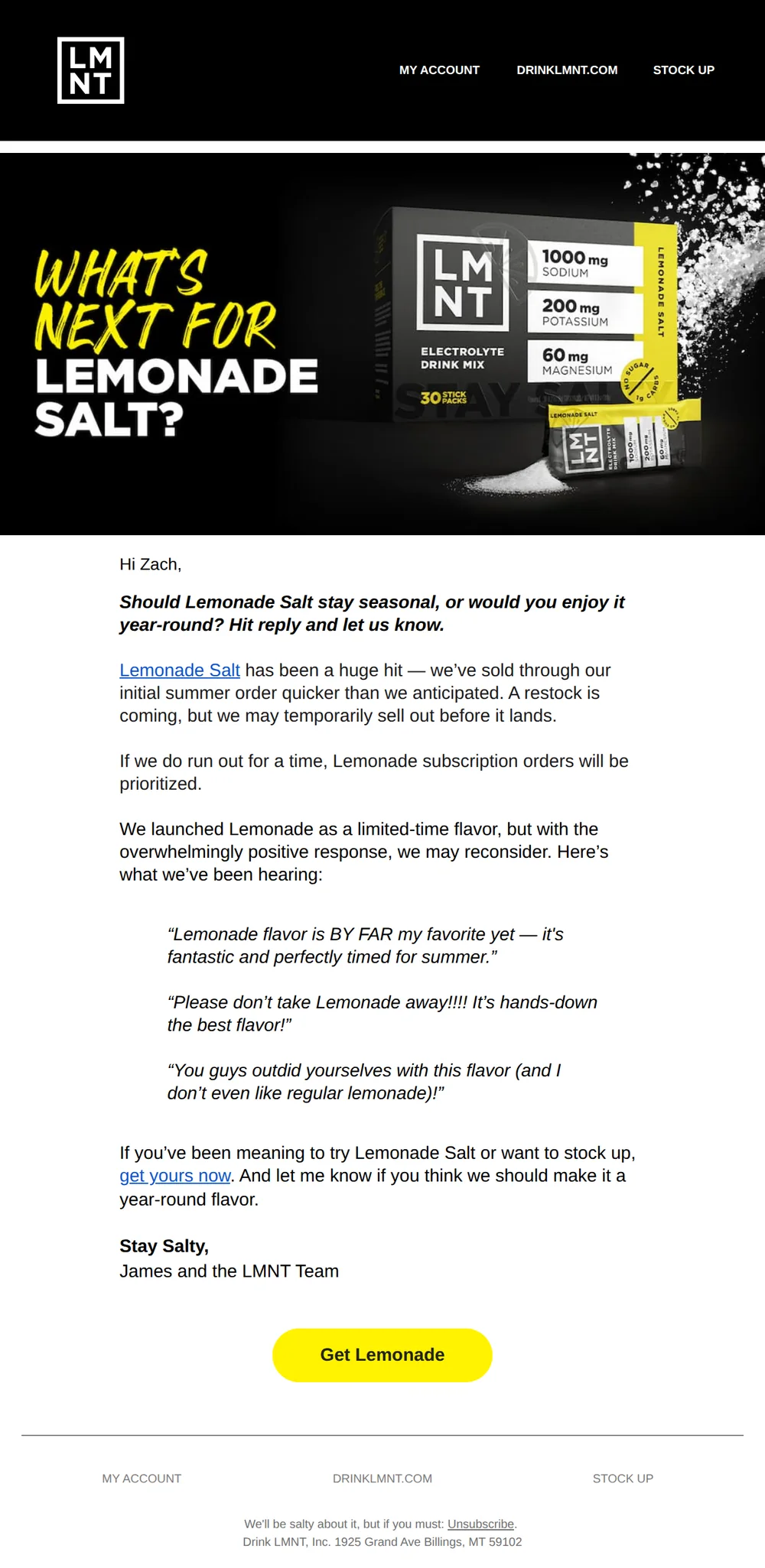
Should Lemonade Salt stay year-round?
Pattern: Ask customers if seasonal flavor should go permanent.
Use it here: A customer-feedback mechanic should have a defined operational owner and next action; audit the branch, event, and follow-up rather than just the creative.
Open reference in new tab
“as luxurious as lube gets.”
Pattern: editor-approved intimacy essentials tucked in your bag.
Use it here: Proof can earn attention, but a flow audit should confirm the source, claim, consent, and exit logic that make it appropriate to send.
Open reference in new tabCreative and design curation only. These are role references, not reported revenue, conversion, or a promise that the exact tactic will transfer unchanged.
Need help implementing this?
We build and manage complete email & SMS programs for DTC brands. Get a custom plan for your brand.
Get Your Free Audit + Gameplan