The Back-in-Stock Flow: Turn Sold-Out Into Sold
Turn a sold-out product page into a variant-specific restock request and a governed path back to the product when inventory returns.
- Build the trigger, timing, branches, and exits for this flow
- Measure and improve the flow against a stable cohort
What is a back-in-stock flow, and why does it matter?
A back-in-stock flow is an automated email and, where consent allows, SMS sequence that tells a shopper when the exact sold-out product or variant they requested is available. It turns a dead-end product page into a useful request and a clear handoff back to the product.
A "sold out" tag looks like the end of a sale. It is the start of one.
Someone who chooses a restock request has expressed a specific product interest, but a request is not a guaranteed purchase. Treat it as a useful intent signal alongside inventory, product, and buyer context.
Capture that intent and you turn an out-of-stock page into a waitlist of people who already made the decision.
The job is to fulfill the request quickly and clearly. A discount can be an economic choice, but it is not a default requirement of a restock alert.
Put a "Notify me" control where the unavailable purchase control sits, attach the request to the exact variant, and let a verified inventory event start the message. Use a short follow-up only while the item remains available and the shopper has not bought. Make any scarcity claim verifiably true, and decide whether to use an offer from margin, inventory, and prior behavior, not from a universal restock benchmark.
Where should you capture back-in-stock demand?
Capture it on the product page itself. The ZHS default is a prominent "Notify me when it's back" control near the unavailable purchase control, a low-friction email request, and a signup tied to the specific variant. Test field count and placement against the storefront rather than assuming one layout fits every catalog.
The experience is strongest when the request is available while the shopper is deciding, rather than hidden after the product details.
Put a "Notify me when it's back" button right where the "Add to cart" button used to sit. Same spot, same prominence. Do not bury it below the fold.
- Ask for the least. Email is enough to start. If SMS is a fit for your brand, offer it as a second step, not a wall.
- Confirm on the spot. A quick "You're on the list" message tells them it worked and sets the expectation that you will reach out.
- Tie the signup to the exact variant. Size medium in black is a different waitlist than size large in white. Trigger the alert for the variant they wanted, not the whole product.
Each signup is a demand signal. A large waitlist on one variant can inform reorder planning alongside sales velocity, margin, lead time, and forecast, not replace them.
What emails go in a back-in-stock sequence?
The ZHS starting configuration is a prompt first alert, followed by a short sequence only for shoppers who have not bought and only while the requested variant remains available. The exact number of reminders, timing, and channels should reflect inventory velocity, customer consent, and the brand's purchase cycle.
The trigger is simple: the item goes from zero inventory back to in stock. Klaviyo fires the flow to everyone on that variant's waitlist, the same common Klaviyo settings you rely on for the rest of your automations.
What matters here is speed and urgency. These buyers are on other brands' lists too. The first "it's back" they see is the one that gets the sale.
Popular items sell out again fast, so the sequence leans on real scarcity, not manufactured pressure.
View full build
Read the text version
Trigger: When the requested catalog variant returns to inventory
Entry filters: Requested variant returned to inventory; Profile requested that variant
Exit conditions: Purchased the requested product or variant; Inventory returned to zero before send
Re-entry: Allow re-entry for a new variant request
- sms: SMS 1The requested variant is back
- email: Email 1Product, exact variant, one CTA
- delay: Wait 24 hours
- email: Email 2Back by demand, still available
- delay: Wait 24–48 hours
- email: Email 3Honest low-stock or final-run message
What emails go in a back-in-stock sequence
- 01Immediately on restockIt's back
The alert they signed up for. Product name, the exact variant they wanted, a hero shot, one CTA straight to the product page. No filler.
- 0224 hours laterReminder with urgency
Only send to people who have not bought. Lean on demand proof: "back by popular demand, and going fast again." Restocks of popular items do not last.
- 0348-72 hours laterLast call
Honest scarcity. "Low stock" or "final run" if it is true. This is the send that pulls the fence-sitters over. Exit anyone who purchases.
ZHS starting configuration for responsive reading and presenter mode; validate the cadence against stock velocity and customer behavior.
Do not batch a legitimate restock notice so long that it no longer fulfills the request the shopper made.
"Almost gone" on a shelf full of stock trains your list to ignore you. Use live inventory data so the urgency is true. Invented scarcity risks customer trust and weakens the next alert.
If SMS suits the brand and the person has given the required channel consent, a restock alert can be a useful time-sensitive SMS job alongside the other SMS flows every brand should run. Keep it narrowly focused on the requested item and use the account's applicable quiet-hours configuration.
It's back. The [Product] you wanted just restocked in your size. These sold out fast last time: [link]
Should you use email or SMS for the restock alert?
Choose the channel by permission, customer expectation, inventory urgency, and the information the message needs to carry. Email gives room for the product image, reviews, and context. SMS can be a concise, consented alert when the restock is genuinely time-sensitive. Both are optional; neither is automatically right for every request.
Both channels work here. The right answer is often both, staggered.
- Room for the hero shot, reviews, and the full pitch
- Carries the reminder and last-call sends well
- Useful for product detail, proof, and a follow-up decision
- Concise, consented option for time-sensitive inventory
- Use when the requested channel and pressure rules support it
- Keep it to one line and one link
How should you measure a back-in-stock flow?
There is no canonical restock range registered here because product availability, demand, attribution, and request quality vary too much to make a single target honest. Measure each restock cohort against comparable restocks and retain the denominator with every metric: requested-variant signups, eligible messages, delivered messages, product-page visits, purchases, unsubscribes, complaints, and inventory remaining.
Use the wider email and SMS KPI guide for consistent definitions, then compare the same product family, stock depth, audience source, and attribution window before deciding what to change.
| Measure | Question it answers | Read it with |
|---|---|---|
| Request-to-message coverage | Did eligible requesters receive the alert? | Inventory-event and delivery logs |
| Product-page visits | Did the message return people to the requested variant? | Product availability and click definition |
| Purchase rate | Did the eligible cohort buy while stock was available? | Attribution window and inventory depth |
| Negative signals | Did the cadence create pressure or mismatch? | Consent, unsubscribe, complaint, and reply trends |
Set a baseline from comparable restocks before setting a target. If a result changes, inspect coverage, availability, message relevance, audience source, and attribution before blaming the subject line or declaring a new benchmark.
What are the most common back-in-stock mistakes?
The big six: delaying the alert until it no longer fulfills the request, alerting the whole product instead of the variant, using a fixed follow-up without checking availability, faking scarcity, ignoring the demand data, and discounting by reflex. Fix them by triggering per variant, checking live inventory, and treating the sequence as a tested operating rule rather than a template to copy blindly.
- Delaying the alert. The notice should still fulfill the shopper's original request when it arrives. Let the verified restock event, not a manual batch, drive the first message where possible.
- Alerting the whole product, not the variant. Telling someone their size is back when it is not kills the click and the trust. Trigger per variant.
- Using a fixed follow-up without checking stock. A single alert can be enough for a short restock; a later reminder can make sense only while the variant remains available and the shopper has not bought.
- Faking the scarcity. "Selling fast" on a full warehouse trains people to ignore you. Use real inventory counts.
- Ignoring the demand data. A long waitlist on a sold-out variant is a reorder signal, and it pairs well with a replenishment flow that wins the reorder. Feed it to whoever plans inventory.
- Reaching for a discount. Decide from margin, inventory, and buyer behavior. A restock request is intent, not proof that every shopper will buy without an incentive.
Get Expert Help
The back-in-stock flow is easy to set up and easy to leave half-built, which is where most of the revenue leaks out. Our team builds these flows variant-by-variant, times the sequence to your restock cadence, and wires the waitlist data back into planning so a sold-out page never sits idle.
More patterns to study
Curated creative references for this lesson. Study the mechanism, then adapt it to your own audience, offer, and evidence.
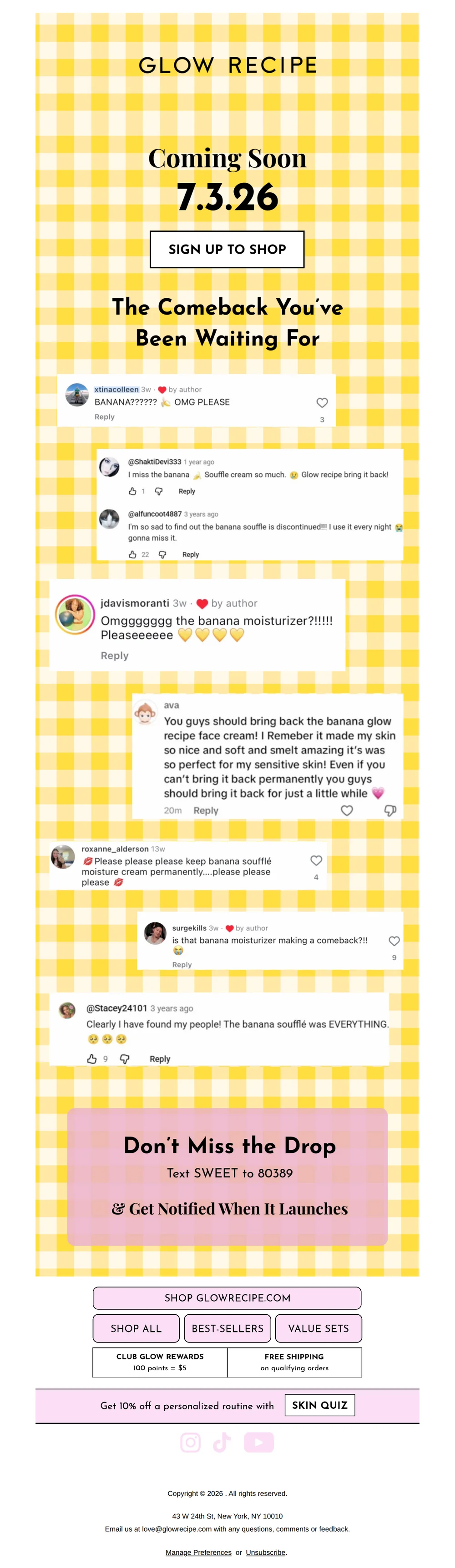
A Sweeter Summer Coming Soon
Pattern: Cult product comeback teased with real fan demand.
Use it here: A comeback or restock can feel like a response to real customer demand when the underlying inventory and availability claim are current.
Open reference in new tab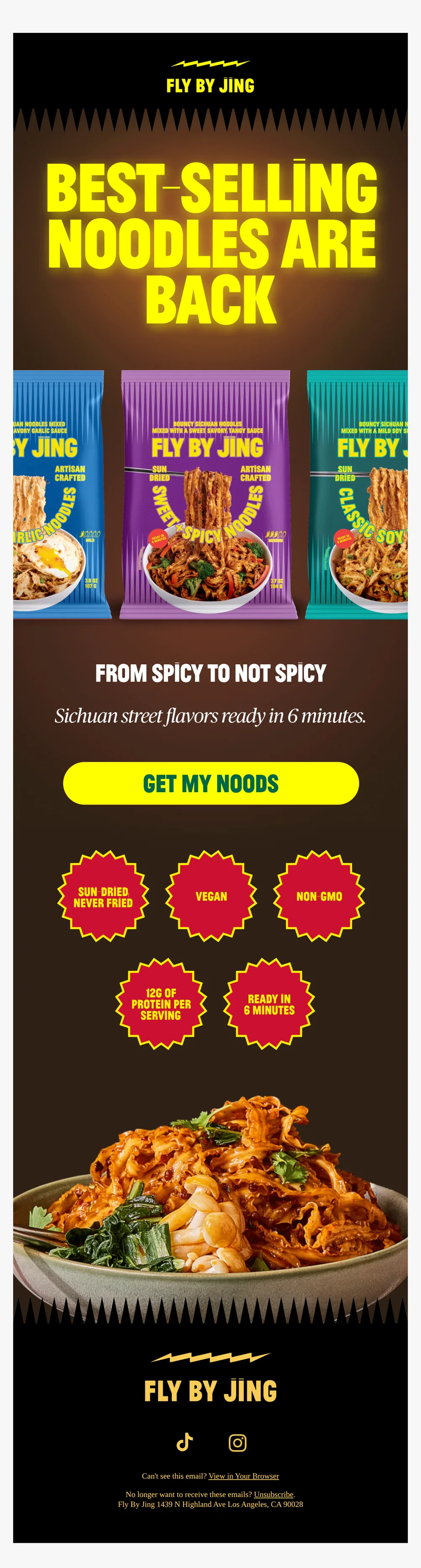
Best-selling noodles back in stock 📣
Pattern: Best-selling noodles are back in stock.
Use it here: Carry one unmistakable product point of view from subject through CTA, then link straight to the specific in-stock product or variant.
Open reference in new tabCreative and design curation only. These are role references, not reported revenue, conversion, or a promise that the exact tactic will transfer unchanged.
Need help implementing this?
We build and manage complete email & SMS programs for DTC brands. Get a custom plan for your brand.
Get Your Free Audit + Gameplan