The Replenishment Flow: Win the Reorder Before They Run Out
Build a product-specific reorder program using observed usage and repurchase data, clear exits, and a measured subscription option where it fits.
- Build the trigger, timing, branches, and exits for this flow
- Measure and improve the flow against a stable cohort
What is a replenishment flow, and when does it help?
A replenishment flow reminds a customer near an expected run-out window for a product they have already bought. Its value comes from relevant timing and convenience, not guaranteed revenue, so the build must use product-specific consumption assumptions and exit anyone who reordered or no longer needs the reminder.
A replenishment flow is an automated email or SMS journey that helps a customer reorder a consumable when that reminder may be useful. It is worth testing for categories such as coffee, supplements, skincare, vitamins, and pet food, but its impact depends on actual usage, product availability, pricing, consent, and how customers already reorder.
Estimate when the purchased quantity is likely to run out, then test a timely reminder against that window. Start with a useful, low-friction message; add another message or an incentive only when the cohort data supports it. Subscription can be an option for customers who value convenience, but it is not automatically the right next step for every product or buyer.
The core logic is simple: connect the expected usage window with a reminder that is helpful if the customer still needs the product. The hard part is validating the window and respecting exits, inventory, and channel consent.
This journey should sit beside a post-purchase flow, not replace it. Post-purchase education helps the buyer succeed; replenishment is a separate, product-aware hypothesis about when a reorder may be relevant.
Here is what it looks like in practice.

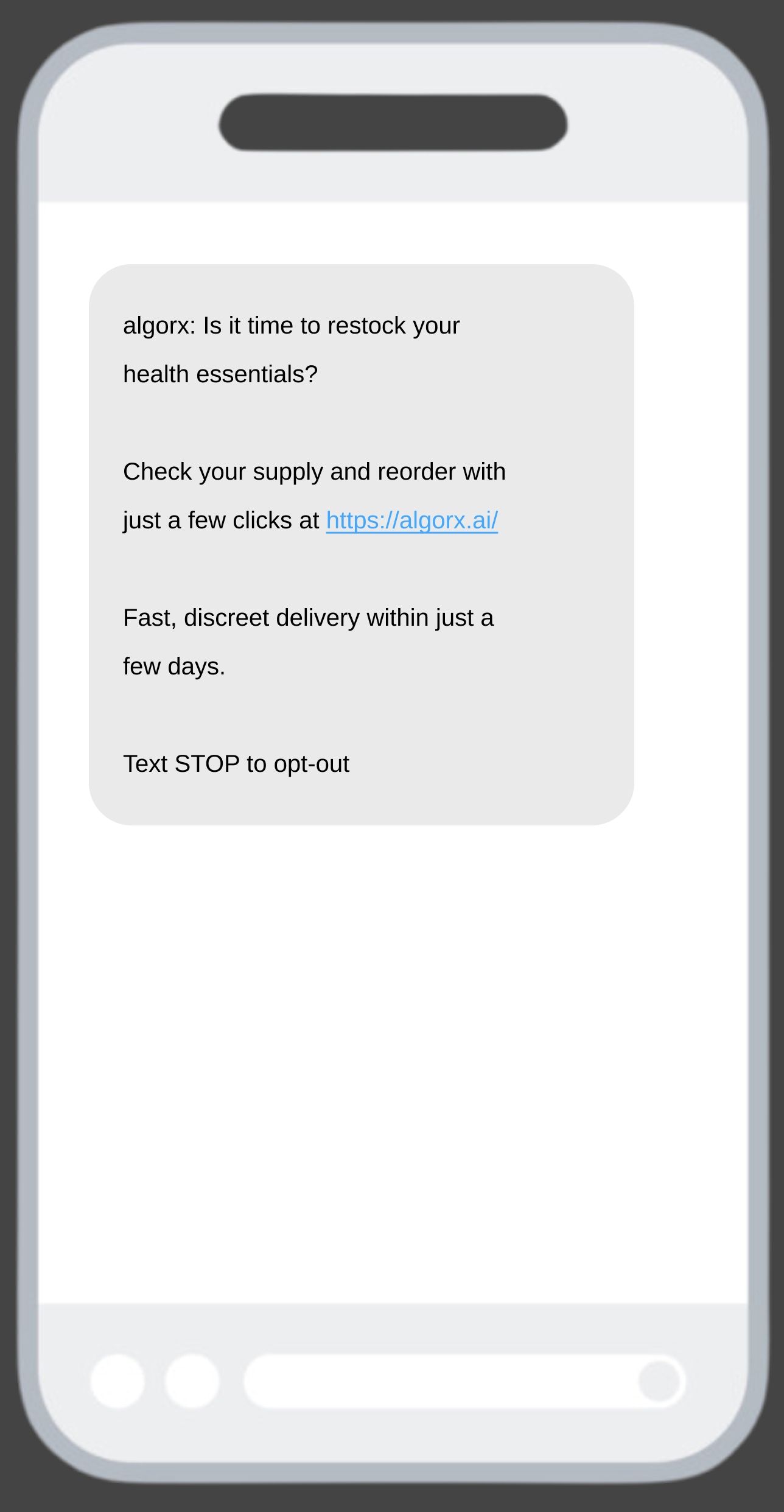
How do you time a replenishment email?
Start with the product's expected consumption window, then validate it against actual days between purchases for comparable customers. Give products, pack sizes, and subscription cadences separate timing logic when the usage pattern differs. The goal is to make the reminder useful before the customer needs to shop elsewhere, not to impose one calendar rule on every SKU.
- Define the eligible order. Identify the product, quantity, and customer state that should enter the journey.
- Estimate the usage window. Use product guidance as a starting hypothesis and compare it with observed repeat-purchase intervals.
- Choose a testable reminder window. Send before the expected run-out point, then compare timing variants against the same product and cohort.
If usage data is thin, use a documented starting assumption and review it as more orders arrive. Do not silently treat a guess as a benchmark.
You do not need perfect data to begin a controlled pilot. Record the assumption, monitor the eligible cohort, and adjust the timing only after you can compare it with a meaningful baseline.
What emails go in a replenishment sequence?
Use a small, purposeful sequence around the expected run-out window. The first message can be a helpful reminder; a later message can explain convenience or a subscription option. Add an incentive only when testing shows it is necessary and the contribution margin supports it.
View full build
Read the text version
Trigger: When someone places an order containing a replenishable product
Entry filters: Qualifying replenishable product purchased; Expected run-out window reached
Exit conditions: Reordered the qualifying product; Active subscription makes the reminder inapplicable; Cannot receive the selected channel
Re-entry: Allow re-entry after each qualifying order
- delay: Wait until 3–6 days before expected run-out
- email: Email 1Running low? Reorder in one tap
- sms: SMS 1Short reorder reminder
- delay: Wait until expected run-out date
- email: Email 2Convenience pitch and subscription option
- delay: Wait 3 days
- email: Email 3Final reorder nudge
What emails go in a replenishment sequence
- 01Before expected run-outThe Reminder
Make reordering easy and remind the customer why the product may be relevant now. Do not assume a discount is required.
- 02At the expected windowThe Convenience Message
Explain the useful convenience of a repeat order or a subscription option when it fits the product and customer.
- 03After the expected windowThe Follow-up Test
If the customer has not reordered, test a follow-up or incentive only with a clear margin and cohort rationale.
Structured from the canonical article steps for responsive reading and presenter mode.
ZHS's operating standard is to test a helpful, no-discount reminder before introducing an offer. That protects margin while you learn whether timing and convenience are already enough for this cohort. If a discount does become part of the program, define the eligibility and incrementality question before rolling it out.
How do you turn reorders into subscribers?
Offer subscription as a relevant option, not a mandatory upgrade. Explain the genuine convenience, cadence control, and terms that the customer will receive. Test the message against an ordinary reorder path and evaluate subscription starts, retention, margin, and cancellations together.
Love it? Choose a delivery cadence that works for you, update it when you need to, and reorder without starting from scratch.
Subscription data must be available in the ESP before it can safely drive segmentation or automation. Confirm the integration's available events and properties, then test the journey with real profiles before activating it.
What are the most common replenishment flow mistakes?
Common mistakes include using generic timing, failing to stop after a reorder, treating discounts as the default, and offering subscription without confirming the operational experience. Address them with product-aware entry criteria, explicit exits, and a measured test plan.
- Using generic timing. Derive the first version from product and purchase data, then revisit it by SKU and pack size.
- Forgetting exits. Stop or re-segment the journey on reorder, refund, cancellation, or a relevant inventory exception.
- Leading with a discount. Test a helpful reminder first and introduce an offer only when the incremental outcome justifies the margin cost.
- Treating channels as interchangeable. Use email or SMS only where the customer has the appropriate consent and the message is useful in that channel. See SMS flow guidance for consent-aware design.
- Offering subscription without operational proof. Make sure cadence controls, inventory, customer support, and integration events can deliver the experience you promise.
Get Expert Help
We build replenishment and post-purchase flows that are timed to the product, consent-aware across email and SMS, and connected to the subscription experience where it fits. Every program starts with an explicit measurement and operating plan.
More patterns to study
Curated creative references for this lesson. Study the mechanism, then adapt it to your own audience, offer, and evidence.
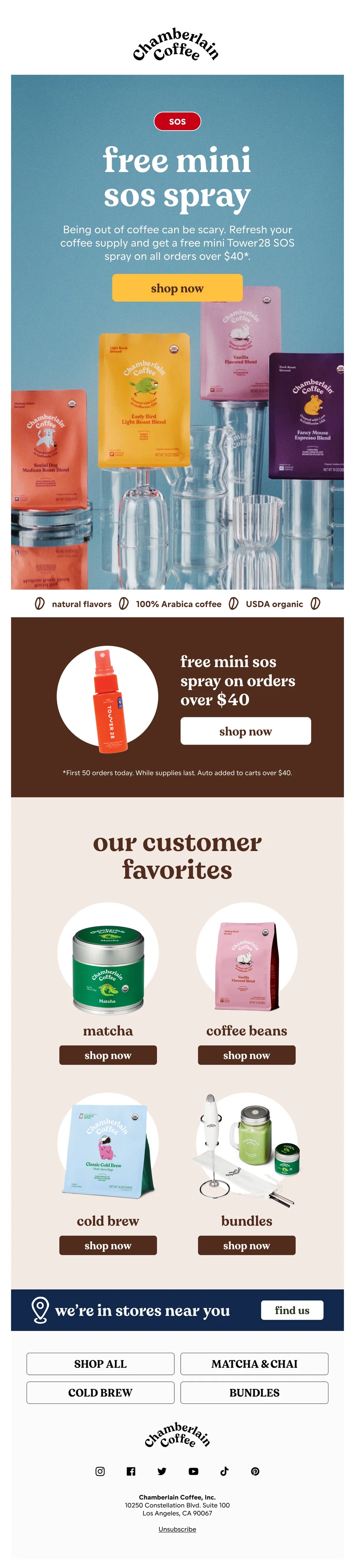
SOS - are you out of coffee?
Pattern: free beauty product with coffee order over $40.
Use it here: A run-out reminder can use a familiar product moment, but the trigger must come from the customer's actual product, quantity, and expected timing.
Open reference in new tab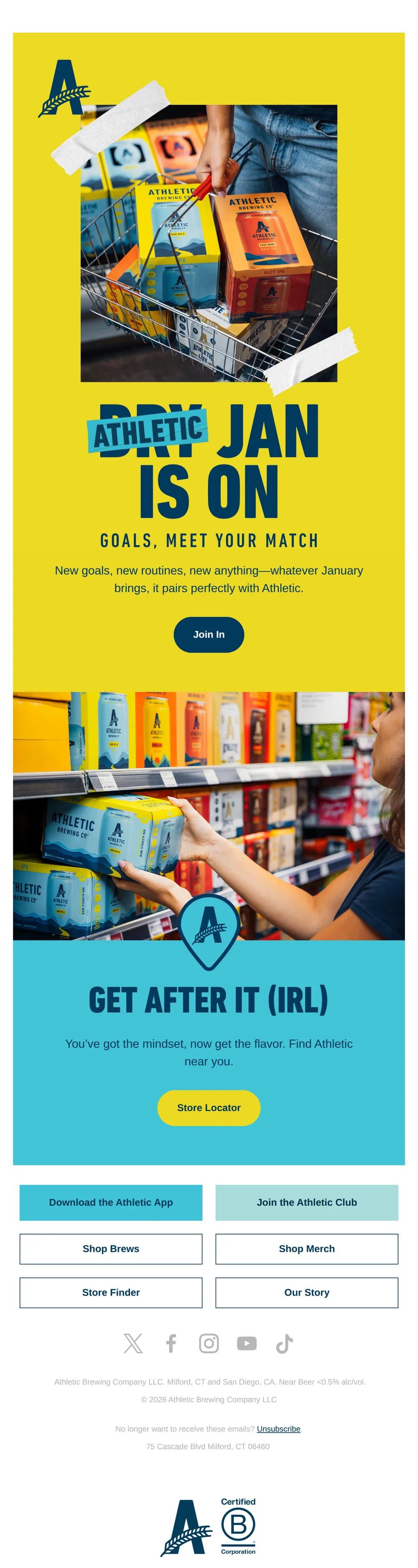
Reset. Refill. Repeat.
Pattern: Dry January is your excuse to drink Athletic.
Use it here: Repetition can become a useful routine cue when it fits real product consumption; do not let a creative phrase substitute for a validated reorder window.
Open reference in new tabCreative and design curation only. These are role references, not reported revenue, conversion, or a promise that the exact tactic will transfer unchanged.
Need help implementing this?
We build and manage complete email & SMS programs for DTC brands. Get a custom plan for your brand.
Get Your Free Audit + Gameplan